 English
 简体中文
简体中文 Русский
 Español
 Deutsch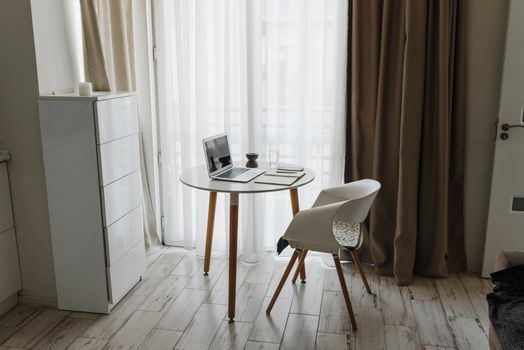
1. Why Fabric Curtains Matter for a Home Office Zoom Setup
When you spend hours on Zoom calls, the background behind you becomes part of your professional brand. Fabric curtains are one of the most effective and affordable ways to upgrade that background instantly. Unlike bare walls, curtains add depth, texture, and color that make your video feed look polished and intentional.
Fabric curtains also solve practical problems. They absorb sound, reducing echo and harsh reverb that cheap microphones pick up. They control natural light so your face is evenly lit instead of blown out by a bright window. And they hide clutter, cables, or an unmade bed in a spare room.
In this guide, we rank the seven best fabric curtain options for a home office Zoom setup, based on light control, acoustic performance, color rendering on camera, and ease of installation.
2. Blackout Velvet Curtains for Flattering Light Control
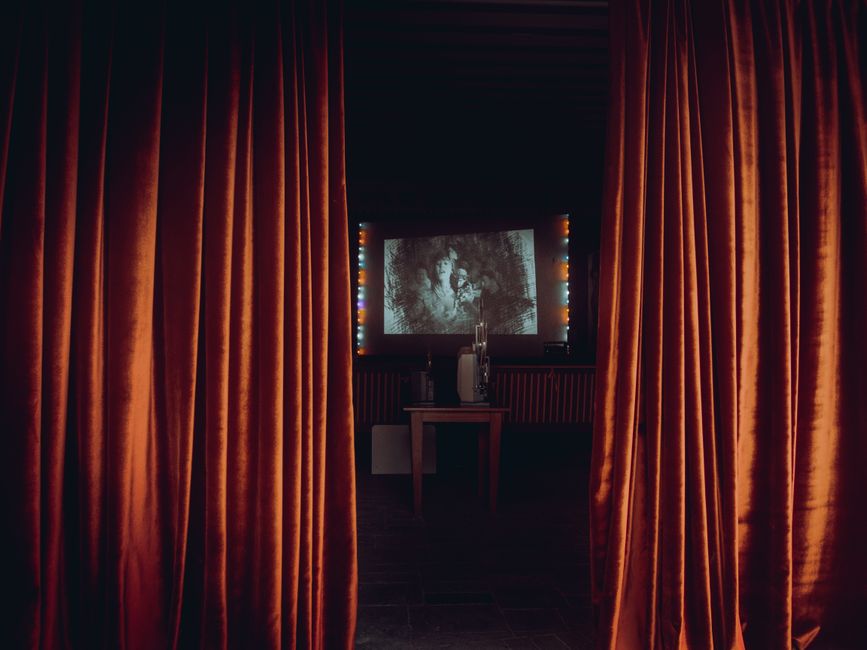
Blackout velvet curtains are the gold standard for video calls. The dense, plush fabric blocks up to 99% of outside light, which prevents the blown-out highlights and harsh shadows that ruin webcam footage. Velvet also has a soft, luxurious sheen that reads beautifully on camera without looking shiny or cheap.
Choose a medium-weight velvet rather than an ultra-heavy theatrical blackout. Medium velvet hangs well, still lets you adjust light with a sheer layer, and won't make your office feel like a cave during the day. Deep colors like navy, emerald, or charcoal look especially professional on video.
For best results, mount velvet curtains on a ceiling track or a wide rod so you can pull them fully closed behind your chair. This creates a consistent, controlled background for every meeting.

3. Linen Blend Curtains for a Natural, Professional Look
Linen blend curtains are a favorite for home offices because they look effortlessly professional. The natural texture of linen adds visual interest without being distracting, and the matte finish prevents glare from ring lights or window reflections.
Look for a linen-cotton or linen-polyester blend. Pure linen wrinkles easily and can look messy on camera, while a blend holds its shape and drapes more evenly. Neutral tones like oatmeal, stone, and soft white keep the focus on your face rather than your background.
Linen blends are usually room-darkening rather than fully blackout, so pair them with a blackout liner if your window gets direct sun during call hours. This combination gives you the best of both worlds: natural texture and reliable light control.
4. Triple-Weave Blackout Curtains for Budget-Friendly Performance
Triple-weave blackout curtains use a tightly woven fabric construction instead of a coated backing. This makes them softer, safer, and less prone to cracking or peeling over time. They are an excellent value option for a home office where you need reliable light blocking without a premium price.
Because the blackout effect comes from the weave itself, these curtains also dampen sound better than thin decorative panels. That means less echo on your calls and a quieter room overall, which is a big win if you work near a street or a busy household.
Choose a panel with a matte finish and a subtle woven pattern. Avoid high-gloss or heavily printed designs, which can create distracting moiré patterns on camera.
5. Sheer Layered Curtains for Flexible Lighting
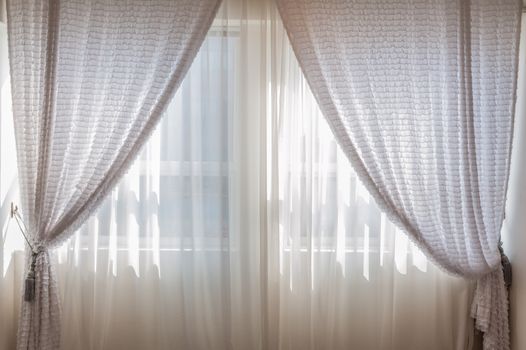
Sheer layered curtains are ideal if you want flexibility throughout the day. A sheer inner layer diffuses harsh sunlight into a soft, even glow that flatters almost every skin tone on camera. When you need full blackout, simply close the heavier outer panel.
This two-layer approach is popular in professional studios because it gives you total control over your key light. On cloudy days, open both layers for natural brightness. On sunny afternoons, close the sheer to soften the light. For early morning or late evening calls, close the blackout panel to eliminate glare.
Pick sheers in white or ivory and pair them with a darker blackout panel in a complementary tone. The contrast adds depth to your background and makes your video feed look curated rather than accidental.
6. Sound-Absorbing Curtains for Clearer Audio
If your colleagues often complain about echo or a hollow sound on your calls, sound-absorbing curtains are a smart upgrade. These are typically made from thick, multi-layer fabrics with acoustic backing or dense wool blends. They reduce reverberation by absorbing sound waves before they bounce off hard walls.
For a home office, you don't need a full recording studio treatment. A single heavy curtain panel behind your desk can noticeably improve audio clarity. Combine it with a rug and a bookshelf to further reduce reflections.
Look for curtains labeled as acoustic, theater, or soundproof. Check the weight per square meter; heavier fabrics generally absorb more sound. Just make sure the curtain rod or track is rated for the extra weight.
7. Color and Pattern Choices That Look Great on Camera
The color of your curtains affects how your face appears on video. Cool tones like blue, green, and gray create a calm, trustworthy impression and contrast nicely with warm skin tones. Warm tones like terracotta or mustard can make you look flushed under certain lighting.
Solid colors are generally safer than busy patterns. Large-scale prints, stripes, and florals can distract viewers and create visual noise on compressed video. If you want pattern, choose a subtle texture or a small-scale geometric in a low-contrast palette.
Avoid pure white curtains directly behind you, as they can cause your camera to underexpose your face. Instead, choose a mid-tone color that sits a few shades darker than your skin. This creates separation and helps you stand out clearly.
8. Installation Tips for a Zoom-Ready Background
How you hang your curtains matters as much as which ones you buy. Mount the rod or track high and wide, ideally 10 to 15 cm above the window frame and 15 to 20 cm beyond each side. This makes the window look larger and gives you more fabric to work with when framing your shot.
Position your desk so the window is to your side or slightly behind the camera, not directly behind you. This avoids backlighting and keeps your face evenly lit. Then adjust your curtains to control the amount of light hitting your face.
Finally, steam or iron your curtains before your first important call. Wrinkles and creases are much more visible on camera than in person, and a crisp, smooth drape signals professionalism.
9. Quick Comparison Table
| Curtain Type | Best For | Light Control | Acoustic Benefit |
|---|---|---|---|
| Blackout Velvet | Flattering, controlled lighting | Excellent | High |
| Linen Blend | Natural, professional look | Moderate | Medium |
| Triple-Weave Blackout | Budget-friendly performance | Very good | Medium-High |
| Sheer Layered | Flexible daytime lighting | Adjustable | Low-Medium |
| Sound-Absorbing | Clearer audio on calls | Varies | Very High |
10. Final Thoughts
The best fabric curtains for a home office Zoom setup balance light control, sound absorption, and on-camera appearance. Blackout velvet offers the most polished video background, while linen blends and triple-weave blackout curtains provide excellent value and versatility.
Start with one high-quality panel behind your desk, adjust your lighting, and test your camera before your next meeting. With the right curtains, you can turn any spare room into a professional-looking home studio in an afternoon.